Grow a Garden WFL Trading Guide 2026 — How to Know if a Trade is Fair Before You Accept
Last Updated: April 21st, 2026
Let me be honest with you about something. In three years of playing Grow a Garden, I have made bad trades. Not because I did not know the game — but because I was in a hurry, someone was pressuring me to accept quickly, and I skipped the one step that would have saved me billions of Sheckles.
That step is a proper WFL check. And this guide is going to show you exactly how to do it — for every type of trade, at every stage of the game.
WFL is not complicated once you understand the logic behind it. But most players treat it like a vibe check rather than an actual calculation, and that is where fortunes get lost.
What WFL Actually Means
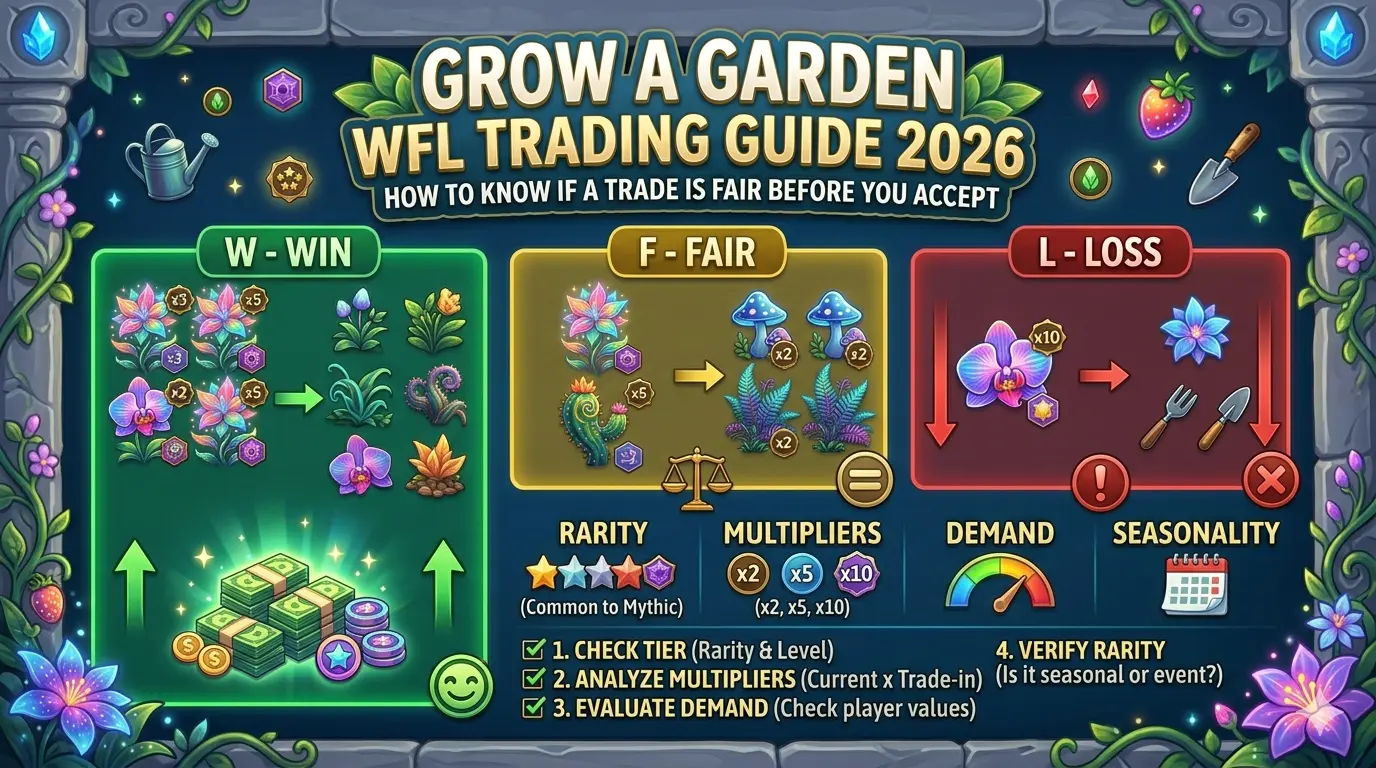
WFL stands for Win, Fair, or Loss. It is the standard the Grow a Garden community uses to evaluate whether a trade is in your favour, roughly balanced, or costing you more than you are getting back.
- Win — you are receiving more value than you are giving. Typically 20% or more in your favour.
- Fair — both sides are within a reasonable margin of each other. Usually within 10–15% either way.
- Loss — you are giving more than you are receiving. Any gap greater than 15–20% against you.
These are community conventions, not hard game rules. You will see players use slightly different thresholds depending on who you ask. Some players consider anything within 25% to be Fair. Others are stricter. The important thing is that you know the actual calculated values before you decide what threshold to apply.
What WFL is not is a gut feeling. “This seems fair” based on looking at two crops and comparing their rarity is not a WFL assessment. It is a guess. And in a game where a single weight difference of 20kg can change a crop’s value by hundreds of millions of Sheckles, guessing costs real progression.
Why Most Players Get WFL Wrong
The biggest mistake I see — and one I made myself early on — is comparing items by name or appearance rather than calculated value.
Here is a real scenario that illustrates this:
Player A offers a Bone Blossom with Rainbow (50x) at 8kg. Player B counters with a Candy Blossom with no mutations at 45kg.
Which is worth more? Most newer players would instinctively say the Bone Blossom with Rainbow — it has a mutation, it sounds rarer. But if you run both through the Grow a Garden Calculator, you find that the heavy unmutated Candy Blossom actually outvalues the lighter Rainbow Bone Blossom significantly.
Weight is the variable that most players underestimate. Mutations get all the attention, but a crop at 100kg is worth dramatically more than the same crop with the same mutations at 10kg. Both variables matter — and you cannot assess either one accurately without calculating.
The Complete WFL Calculation Process — Step by Step
This is the process I use for every significant trade. It takes about 2–3 minutes once you are practised at it, and it has saved me from more bad trades than I can count.
Step 1 — List Everything on Both Sides
Before you open the calculator, write down or mentally note every item in the trade. Both sides. Do not start calculating yet — just get clear on what you are actually comparing.
Your side:
- Every crop you are offering, including species, weight (exact kg from inventory), and every mutation
Their side:
- Every crop they are offering, including species, weight (exact kg — ask if you do not know), and every mutation they are claiming
If they cannot or will not tell you the exact weight of what they are offering, that is already a red flag. Every legitimate trader in Grow a Garden knows the weight of what they are trading. Weight is visible in your inventory. There is no good reason for a serious trader not to know it.
Step 2 — Calculate Your Side First
Open the Grow a Garden Calculator and calculate everything you are offering.
For each crop on your side:
- Select the crop species
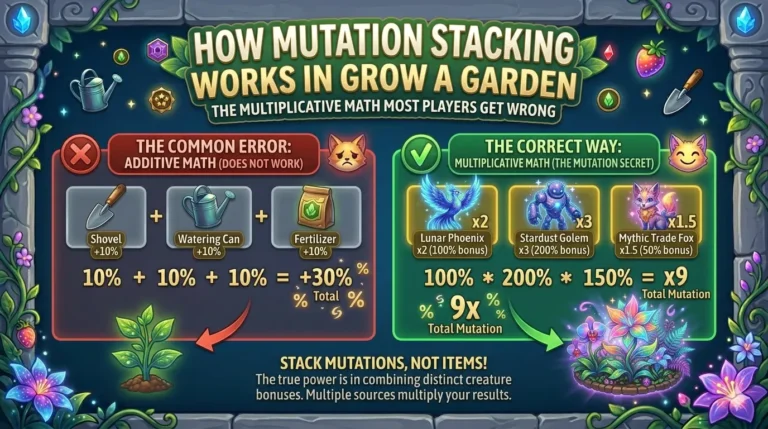
- Apply every mutation the crop has — do not skip any, even minor ones like Wet (2x) or Choc (2x). They stack.
- Enter the exact weight in kg from your inventory screen
- Note the Sheckle value shown
If you are offering multiple crops, use the Add to List feature to calculate them all and get a combined total.
Write down your total. Do not try to hold it in your head while calculating their side.
Step 3 — Calculate Their Side
Same process for everything they are offering. Select the crop, apply their claimed mutations, enter the weight they told you.
Here is where to be careful:
Verify their mutations are possible. Gold and Rainbow cannot exist on the same crop. If someone claims their crop has both, that is not possible — either the screenshot is wrong or they are misrepresenting the item. The calculator automatically blocks impossible combinations. If you cannot select their claimed mutation combination in the calculator, it does not exist in the game.
Verify their weight is realistic for the crop. Some crops have natural weight ceilings based on how they grow. If someone claims a Carrot weighs 500kg, that is not realistic regardless of mutations. Use the Value to Weight tool in reverse — enter their claimed value, select the crop, apply the mutations, and see what weight would be required to reach that number. If the required weight is implausibly high for that crop species, something is wrong.
Write down their total.
Step 4 — Compare the Totals
Now you have two numbers. Compare them.
Your total value ÷ Their total value = Your ratio
If your ratio is below 0.85 (you are getting less than 85% of what you are giving), you are taking a Loss. If your ratio is between 0.85 and 1.15, the trade is Fair. If your ratio is above 1.15 (you are getting more than 115% of what you are giving), you are winning.
Whether a Win or Fair trade is acceptable to you is a personal decision based on what you need at the time. Sometimes taking a slight loss is worth it for liquidity — turning a high-value crop into Sheckles quickly has its own value. But you should always make that decision knowingly, not because you did not run the numbers.
Step 5 — Decide and Respond
With the actual values in front of you, make your decision. If the trade is fair and you want the item being offered, accept. If you are taking a loss you are not comfortable with, counter-offer. If the numbers do not add up to something close to what was claimed, walk away.
Using the Value to Weight Tool for Trade Verification
This is the most underused feature on the entire calculator, and it is specifically built for trade situations.
Here is the scenario where it is most useful:
Someone offers you a crop and says: “My Shocked Rainbow Suncoil is worth 2 trillion Sheckles.”
You do not know if that is accurate. Instead of taking their word for it, open the calculator, go to Value to Weight mode, select Suncoil, apply Shocked (100x) and Rainbow (50x), and enter 2 trillion as the target value.
The calculator shows you exactly what weight that Suncoil would need to be to reach 2 trillion Sheckles with those mutations. If the answer is 847kg and they are claiming 12kg, the maths does not work. If the answer is 11kg and they claimed 12kg, that is close enough to be credible.
This single tool eliminates the most common trade fraud in Grow a Garden — weight inflation — in about 30 seconds.
The Most Common Trade Scams and How WFL Catches Them
I want to be specific about this because the scam tactics in Grow a Garden are not random. They are patterns that appear again and again, and knowing them helps you recognise them instantly.
Scam 1 — Weight Inflation
The trader inflates the weight of their crop significantly above what they actually have. They show a screenshot of the crop with the weight number manipulated or from a different crop entirely.
How WFL catches it: You ask for the exact weight, run Value to Weight on the calculator, and check whether their claimed weight produces the value they quoted. Weight inflation is immediately obvious when you do this.
Red flag: They quote a specific value but refuse to tell you the weight. Weight and value are directly connected — if they know the value, they know the weight. Refusing to share it means the weight does not support the value.
Scam 2 — Mutation Misrepresentation
The trader claims mutations their crop does not actually have, or claims a higher-tier mutation when the crop has a lower one. Common examples: claiming Shocked when the crop has Moonlit, or claiming Celestial when it has Chilled.
How WFL catches it: You calculate both sides with only the mutations that have been verified, not the claimed mutations. Request a screenshot of the crop in their inventory showing the mutation name clearly. If they cannot provide it, calculate conservatively.
Red flag: They describe mutations verbally rather than showing a screenshot. “It has the 100x one” rather than “it has Shocked” is a sign of deliberate vagueness.
Scam 3 — Pet Age Misrepresentation
For pet trades specifically, the trader claims their pet is significantly older than it actually is. Since older pets are heavier and more valuable, a difference of 50 levels can mean a difference of billions of Sheckles in pet value.
How WFL catches it: Ask for the pet’s exact age, then use the Pet Weight by Age calculator to check the expected weight for that age. If the weight they are showing does not match the expected weight for the age they claim, the age is wrong.
Red flag: They show you the pet’s weight but not its age, or the weight shown is significantly higher than expected for the age shown.
Scam 4 — Urgency Pressure
Not a calculation scam but a psychological one. The trader rushes you. “Accept now or I’m trading with someone else.” “I have three other offers.” “This deal expires in one minute.”
The correct response: Any trader who does not give you time to run a WFL check is not a trader you should be dealing with. A legitimate trade with fair values has no reason to be rushed. Take the time you need. If the deal disappears because you took 3 minutes to calculate, it was not a deal you wanted anyway.
The rule I follow: I do not accept any trade above 10 million Sheckles without running the full calculation. No exceptions. The 3 minutes it takes has saved me significantly more than the trades I have lost by being too slow.
Scam 5 — The “Community Price” Bluff
The trader quotes a community price list or Discord valuation rather than an actual calculation. “In the Discord value list, this crop is worth X.” Community price lists are useful starting points but they are based on average values — average weight, average mutations. Your specific crop may be worth more or less depending on its actual weight.
How WFL catches it: Calculate your specific crop. Your actual weight at your actual mutations is what matters, not a community average. If their community price matches your calculation, great. If it is significantly different, trust your calculation.
Multi-Item Trades — How to Handle Complex WFL Checks
Some trades involve multiple items on each side. Three crops for two pets. A gear item plus a crop for an exotic seed plus a mutation spray. These are harder to assess but the same process applies — you just have more items to calculate.
Use the Add to List feature in the calculator to stack multiple crops and get a combined value. Calculate every item on both sides, add them up, and compare the totals. The fact that there are more items does not change the fundamental maths — you are still comparing total value offered against total value received.
One thing to watch in multi-item trades: Traders sometimes add low-value items to their side to make the trade look more balanced visually. Four items versus two items feels more equal than it mathematically is. Always calculate the actual value of every individual item rather than judging by item count.
WFL for Pet Trades — Specific Considerations
Pet trading has some nuances that crop trading does not, and they are worth addressing specifically.
Age Matters More Than Species
Two pets of the same species at different ages are not comparable. A freshly hatched pet at age 1 and the same species at age 100 can be worth ten times as much. Always verify age before evaluating any pet trade.
Use the Pet Weight by Age tool — enter the claimed age and species, and check whether the weight they show matches the expected weight. This is your verification step for every pet trade.
Pet Mutations Add Complexity
Pets can also have mutations applied through the Mutation Machine, Golden Acorn, or Pet Mutation Shards. A mutated pet is worth more than an unmutated one of the same species and age. When evaluating a pet trade, ask what mutation the pet has (if any) and factor that into your assessment.
The Weight Screenshot Is Not Enough
It is common practice to ask for a screenshot of a pet before trading. However a screenshot of the weight alone is not sufficient verification. You need both weight and age in the same screenshot to verify the trade is priced correctly. Weight without age context is meaningless — you cannot determine if the weight is appropriate without knowing the age.
Building Your Reputation as a Fair Trader
This section is less about WFL calculation and more about the longer-term game of trading in Grow a Garden.
Good traders in this community are known. If you consistently run accurate WFL checks, offer fair trades, do not pressure people, and are transparent about your calculations, you develop a reputation that makes future trades easier and more profitable.
Traders with good reputations get better offers because people trust them. They get approached first when someone has a rare item. They build networks with other serious traders who share information about values, upcoming events, and opportunities.
The calculation habits in this guide are not just about protecting yourself from scams. They are about operating with enough integrity that the community wants to trade with you.
Quick WFL Reference — Common Questions
How long should a WFL check take? 2–3 minutes for a single item trade once you are practised. 5–7 minutes for complex multi-item trades. Any trader pressuring you to decide faster than this does not have your interests in mind.
Should I always aim for a Win? Not necessarily. A Fair trade that gets you an item you specifically need is better than no trade. Sometimes a slight Loss is worth it for the liquidity or the specific item. The point is to make those decisions knowingly — not accidentally.
What if we cannot agree on value? Counter-offer based on your calculation. Explain the values you calculated. Show your working if needed. A trader who refuses to engage with actual calculated values is either misinformed about their item’s worth or deliberately trying to mislead you.
Is it rude to ask for weight and mutations before accepting? No. Asking for exact weight and mutations before calculating a trade is standard practice among serious GAG traders. Any trader who is offended by this request is not a trader you want to deal with.
What if the trade is small — does WFL still matter? For trades under 1 million Sheckles at your current stage, a rough assessment is fine. For anything above that threshold — particularly once you are in the late game — running the full calculation is worth the 2 minutes it takes.
The WFL Checklist — Save This for Every Trade
Print this, screenshot it, or bookmark this page. Use it before accepting any significant trade:
Before calculating:
- Do I have the exact weight of every item on both sides?
- Do I have confirmation of every mutation on both sides?
- For pets: do I have both the age and the weight?
- Has anyone pressured me to accept quickly?
During calculation:
- Calculated value of everything I am offering: _________
- Calculated value of everything I am receiving: _________
- Are all claimed mutations possible? (checked in calculator)
- Does their claimed weight produce their quoted value? (Value to Weight check)
Decision:
- My ratio (my value ÷ their value): _____
- Is this within my acceptable range?
- Am I making this decision based on calculation or pressure?
Want to learn about Grow a Garden Pet Tier List 2026 — Every Pet Ranked for Farming, Trading, and Mutations. We have got it covered for you.
Frequently Asked Questions About WFL Trading
What does WFL mean in Grow a Garden? WFL stands for Win, Fair, or Loss. It is the community standard for evaluating trade fairness in Grow a Garden. A Win means you receive more value than you give. Fair means both sides are roughly equal. Loss means you are giving more than you receive.
How do I calculate WFL in Grow a Garden? Calculate the exact Sheckle value of every item on both sides of the trade using the Grow a Garden Calculator, entering the precise weight and every mutation for each item. Compare the two totals. If you receive significantly more, it is a Win. If the totals are close, it is Fair. If you give significantly more, it is a Loss.
What is a fair trade in Grow a Garden? A fair trade is generally one where both sides are within 10–15% of each other in calculated Sheckle value. Exact thresholds vary by community convention but this range is the most widely accepted standard.
How do I avoid getting scammed in Grow a Garden trades? Always verify the exact weight and mutations of items being offered before accepting. Use the Value to Weight tool to check whether claimed weights match claimed values. Never accept a trade without running a full WFL calculation. Do not trade under time pressure.
Can I use the WFL calculator on mobile? Yes. The Grow a Garden Calculator works fully on mobile browsers. Many players use it mid-trade on a second device or in a split screen while the trade is being discussed.
What should I do if I made a bad trade? Bad trades happen even to experienced players. The most important thing is to learn from it — specifically, which step of the WFL process you skipped. Was it weight verification? Mutation confirmation? Time pressure? Identifying the gap in your process prevents the same mistake from repeating.
This guide is written from three years of active trading experience in Roblox’s Grow a Garden. All mechanics, values, and trade verification methods reflect the current live game state. For exact Sheckle calculations on any crop or pet, use the Grow a Garden Calculator.